Janm praman patra kaise banaye bihar, ये सवाल हर नए माता-पिता के मन में आता है। अच्छी खबर ये है कि बिहार में जन्म प्रमाण पत्र बनवाना अब पहले से कहीं आसान हो गया है। आपके पास दो रास्ते हैं, अस्पताल वाला और नगर निगम या पंचायत वाला, और दोनों की पूरी जानकारी इस आर्टिकल में मिलेगी।
सबसे जरूरी बात एक लाइन में समझ लीजिए। जन्म के 21 दिन के अंदर पंजीकरण कराना पूरी तरह Free है, और आप घर बैठे CRS portal पर online apply कर सकते हैं। नीचे हर रास्ते के steps, documents और fees, सब कुछ विस्तार से बताया गया है।
Also Read


Do raste, Hospital aur Nagar Nigam।
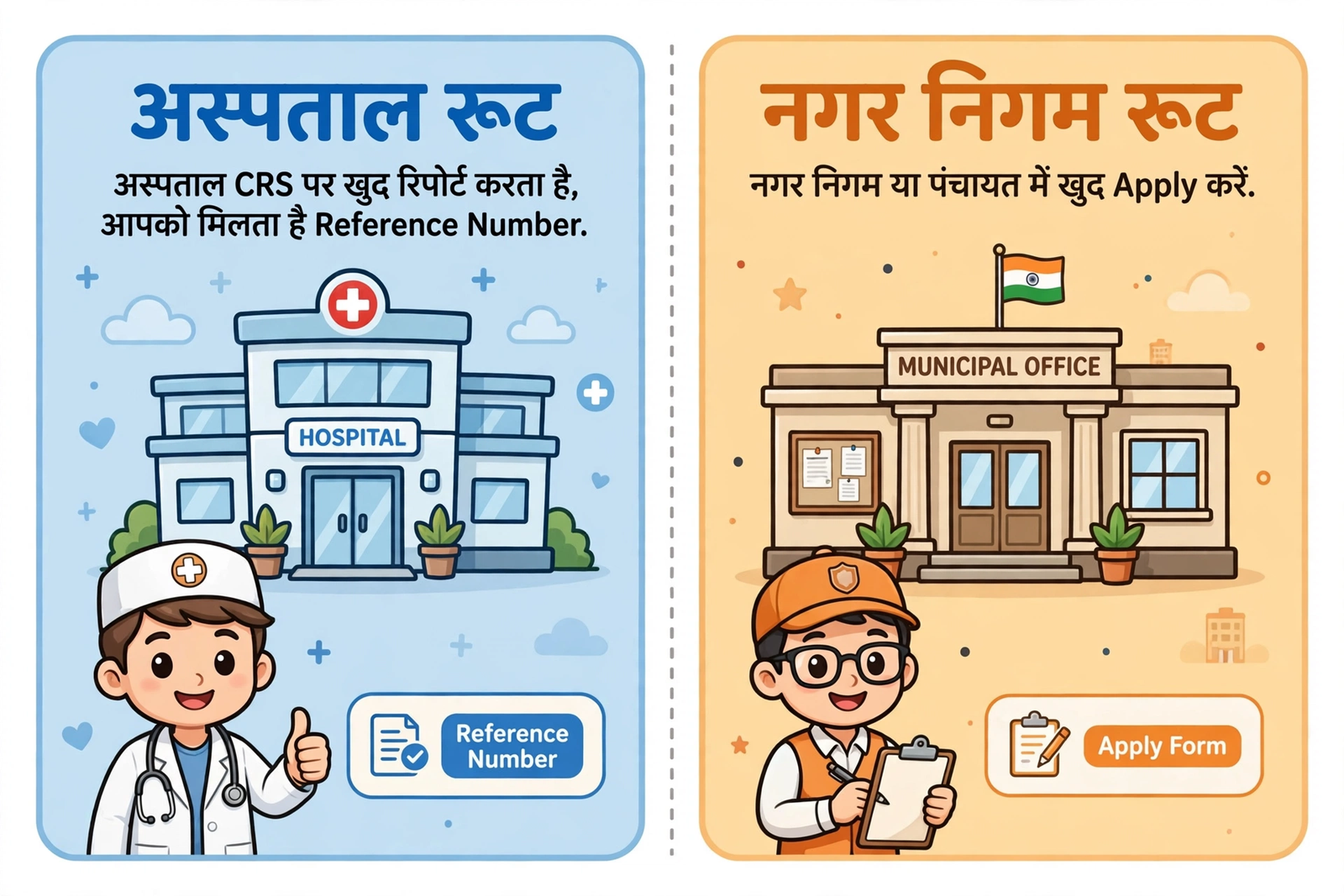
बिहार में janm praman patra kaise banaye, इसका जवाब इस बात पर निर्भर करता है कि बच्चे का जन्म कहां हुआ। दोनों रास्ते नीचे समझाए गए हैं।
अस्पताल में जन्म: सरकारी या निजी अस्पताल में जन्म होने पर अस्पताल खुद बच्चे के जन्म की सूचना CRS (Civil Registration System) पर दर्ज करता है। आपको अस्पताल के प्रभारी चिकित्सा पदाधिकारी से मिलकर ये पक्का करना है कि सूचना भेज दी गई है। इसके बाद आपको एक application reference number मिलता है, जिससे आप certificate download कर सकते हैं।
घर पर जन्म: अगर जन्म घर पर हुआ है, तो शहर में नगर निगम या नगर परिषद के कार्यालय में और गांव में पंचायत सचिव के पास जाकर आवेदन करना होता है। यहां आपको खुद form भरकर documents देने होते हैं।
21 din wala niyam, Free ya Fee।
Registration of Births and Deaths Act के तहत जन्म के 21 दिन के अंदर पंजीकरण कराने पर कोई शुल्क नहीं लगता। ये सबसे सस्ता और तेज रास्ता है, इसलिए जन्म के तुरंत बाद प्रक्रिया शुरू कर दें।
21 दिन के बाद आवेदन करने पर मामूली विलंब शुल्क लगता है और प्रक्रिया थोड़ी लंबी हो जाती है। अगर जन्म कई साल पहले हुआ और कभी पंजीकृत ही नहीं हुआ, तो विलंबित पंजीकरण (delayed registration) का रास्ता अपनाना पड़ता है, जिसमें ज्यादा साक्ष्य और कभी-कभी सक्षम अधिकारी का आदेश चाहिए होता है। पुराने जन्मों के लिए इसे शांत समय में शुरू करें, किसी भर्ती या admission की जल्दबाजी में नहीं।
Kaun se documents chahiye।
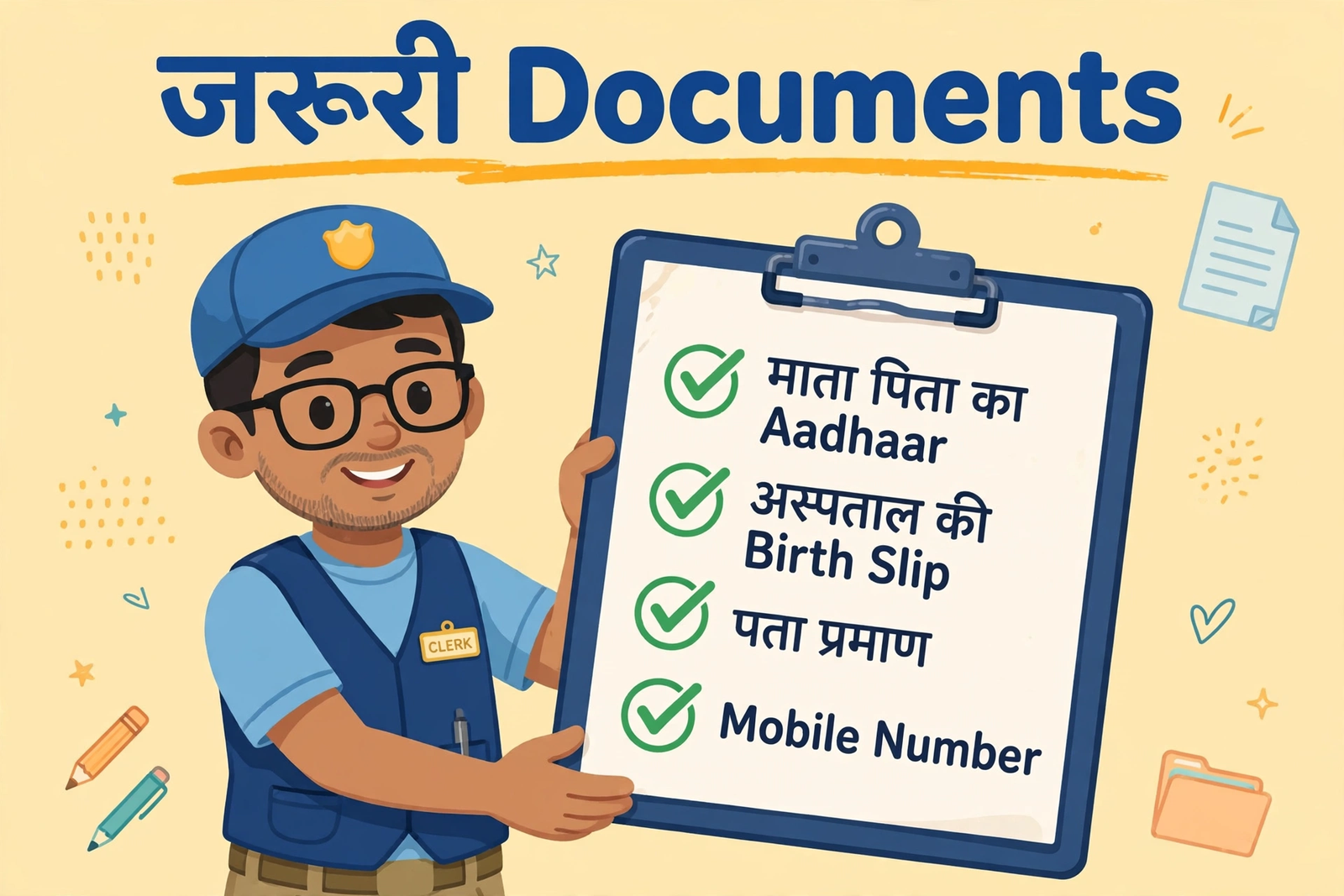
आवेदन के समय आमतौर पर ये documents मांगे जाते हैं।
- माता या पिता का Aadhaar card
- अस्पताल द्वारा जारी जन्म प्रमाण या birth slip (अस्पताल में जन्म की स्थिति में)
- पते का प्रमाण (address proof)
- मोबाइल नंबर (OTP और status updates के लिए)
- घर पर जन्म की स्थिति में पंचायत या नगर निकाय से जारी प्रमाण
एक जरूरी सलाह, सभी documents में बच्चे और माता-पिता के नाम की spelling एक जैसी रखें। Spelling में अंतर सबसे आम वजह है जिससे application अटकता है। नाम, तारीख और spelling पहले ही हमारे RTPS documents list वाले guide में दिए checklist से मिला लें।
Online Apply, CRS Portal par step by step।
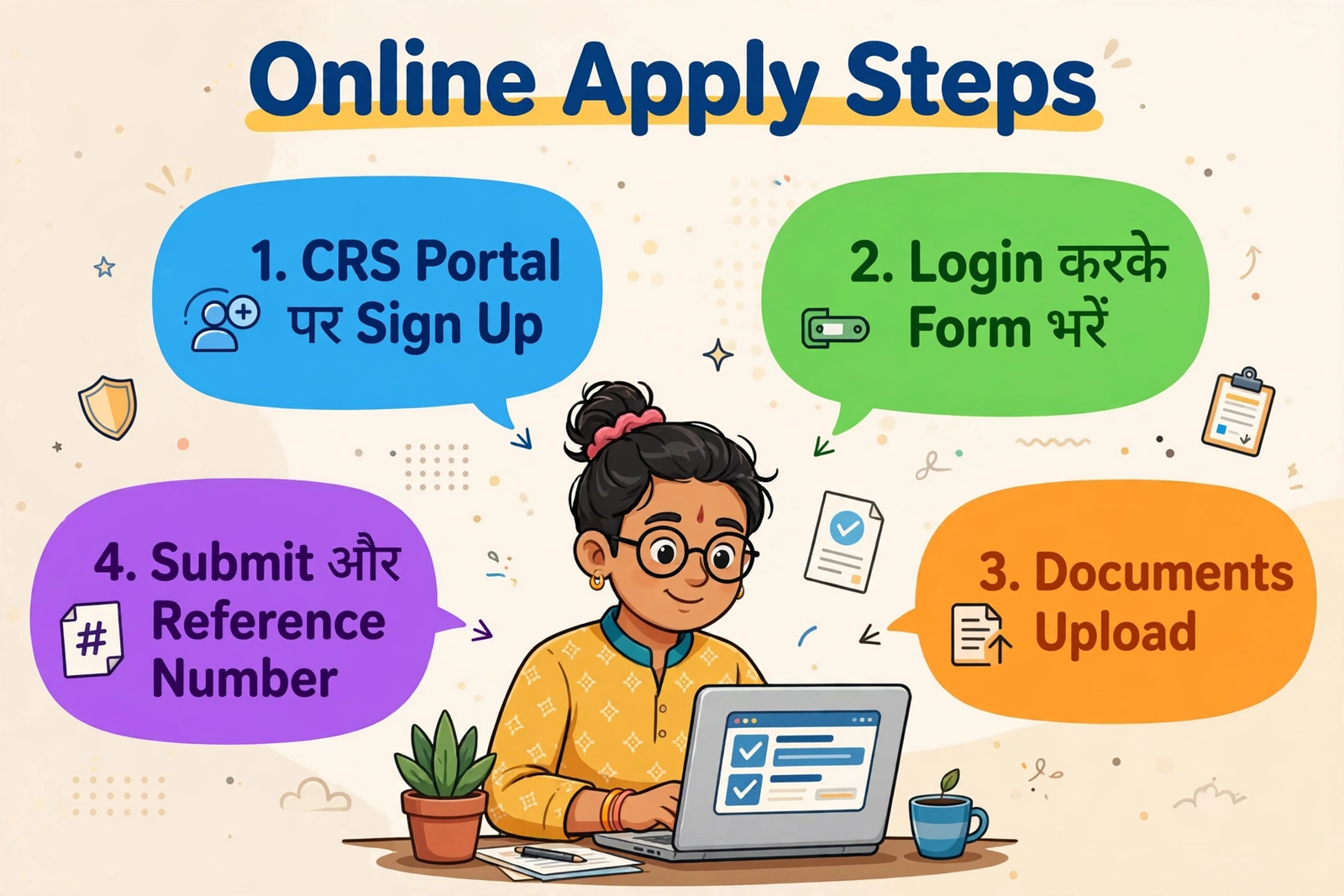
Bihar me janm praman patra kaise banaye online, इसके लिए केंद्र सरकार का CRS portal इस्तेमाल होता है, जो बिहार में भी लागू है। Steps इस प्रकार हैं।
- CRS portal खोलें और General Public Sign Up पर click करके account बनाएं। नाम, mobile number, email और captcha भरकर OTP verify करें।
- Login करने के बाद Birth Registration वाला form चुनें।
- बच्चे का नाम (अगर तय हो गया है), लिंग, जन्म की तारीख और स्थान, माता-पिता के नाम और अस्पताल का नाम भरें।
- जरूरी documents scan करके upload करें।
- Form submit करें। Submit होते ही आपको application reference number मिलेगा, इसे संभालकर रखें।
- Registrar के approve करने के बाद status Approved दिखेगा, और आप portal से ही certificate download कर सकते हैं।
अगर अस्पताल ने बिना नाम के पंजीकरण किया था, तो नाम तय होने के बाद portal में login करके बच्चे का नाम जोड़ा जा सकता है।
Offline Apply, Nagar Nigam ya Panchayat me।
अगर आप online नहीं करना चाहते, तो offline रास्ता भी खुला है। शहर में अपने नजदीकी नगर निगम या नगर परिषद कार्यालय जाएं, गांव में पंचायत सचिव से मिलें।
वहां जन्म प्रमाण पत्र का form लेकर भरें, ऊपर बताए documents लगाएं और जमा कर दें। अधिकारी जन्म की सूचना संबंधित registrar को भेजेंगे, और सत्यापन के बाद प्रमाण पत्र जारी हो जाएगा। आवेदन की रसीद जरूर लें, ताकि बाद में status पूछा जा सके।
Certificate Download aur naam judwana।
Application approve होने के बाद CRS portal में login करके Download Certificate वाले option से जन्म प्रमाण पत्र download करें। ये digital प्रति कानूनी रूप से मान्य है, इसे अच्छी quality के कागज पर print करके रखें।
एक बात ध्यान रखें, पंजीकरण हमेशा उसी जगह के registrar के पास होता है जहां जन्म हुआ था, आपके मौजूदा पते पर नहीं। पटना के अस्पताल में जन्मा बच्चा पटना में ही पंजीकृत होगा, चाहे परिवार अभी कहीं और रहता हो।
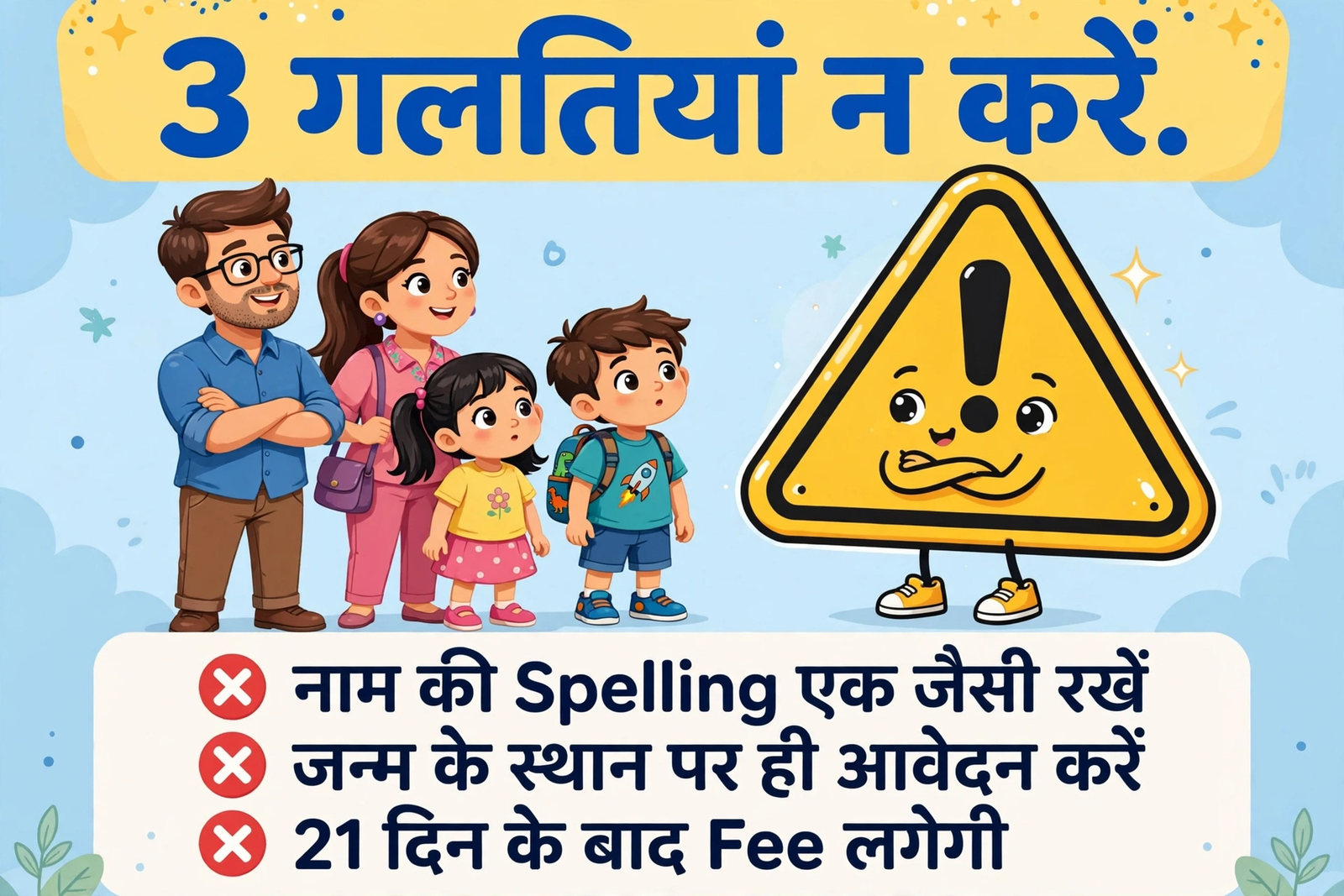
3 galtiyan jo application atak deti hain।
- नाम की spelling अलग-अलग: Aadhaar में कुछ और, अस्पताल की slip में कुछ और। हर जगह एक ही spelling रखें।
- गलत जगह आवेदन: जन्म के स्थान के registrar के पास ही आवेदन करें, अपने मौजूदा पते वाले शहर में नहीं।
- 21 दिन की देरी: जितनी देर करेंगे, उतना शुल्क और कागजी कार्रवाई बढ़ेगी। जन्म के तुरंत बाद शुरू करें।
Quick Links।
| काम | लिंक |
|---|---|
| CRS portal पर Sign Up / Login | CRS portal |
| सभी प्रमाण पत्रों के documents | RTPS documents list |
| बिहार RTPS होमपेज | Bihar RTPS homepage |
FAQs।
janm praman patra kaise banaye bihar me, online ya offline behtar hai?
अगर जन्म अस्पताल में हुआ है, तो online रास्ता तेज है, क्योंकि अस्पताल पहले ही CRS पर सूचना भेज चुका होता है। घर पर जन्म की स्थिति में offline आवेदन (नगर निगम या पंचायत) ज्यादा व्यावहारिक रहता है।
अस्पताल में जन्म हुआ है, क्या हमें कुछ करना होगा?
हां। अस्पताल सूचना भेजता है, लेकिन आपको प्रभारी चिकित्सा पदाधिकारी से confirm करना होगा कि सूचना CRS पर दर्ज हो गई है। फिर reference number लेकर portal से certificate download करें।
21 दिन के बाद आवेदन करने पर क्या होगा?
मामूली विलंब शुल्क लगेगा और प्रक्रिया में थोड़ा ज्यादा समय लग सकता है। बहुत पुराने जन्मों के लिए विलंबित पंजीकरण की प्रक्रिया अपनानी पड़ती है, जिसमें अतिरिक्त साक्ष्य चाहिए होते हैं।
बच्चे का नाम बाद में जोड़ा जा सकता है?
हां। अगर पंजीकरण के समय नाम तय नहीं था, तो CRS portal में login करके बाद में बच्चे का नाम जोड़ा जा सकता है।
जन्म प्रमाण पत्र download कैसे करें?
CRS portal में login करें, application reference number से status check करें। Status Approved दिखने पर Download Certificate option से प्रमाण पत्र download कर लें।
पुराना जन्म (कई साल पहले का) पंजीकृत कैसे कराएं?
विलंबित पंजीकरण के लिए नगर निगम या पंचायत के registrar से संपर्क करें। जन्म और माता-पिता के साक्ष्य देने होंगे, और ज्यादा विलंब की स्थिति में सक्षम अधिकारी का आदेश लग सकता है। इसे शांत समय में शुरू करें।
WhatsApp aur Telegram par judein।
RTPS और Bihar certificate से जुड़ी हर नई जानकारी सबसे पहले पाने के लिए हमारे WhatsApp channel और Telegram group से जुड़ें। नया नियम, नई fees या portal में बदलाव, सबकी update आपको वहीं मिलेगी।
लेखक के बारे में: Suraj Kumar, biharrtps.in के संस्थापक, Bihar के RTPS और certificate प्रक्रियाओं पर सरल Hindi guides लिखते हैं।
Introduction
If you need a birth certificate and are under 30 years old, you’re in luck! In 2024, the entire process of obtaining a birth certificate is done online. This guide will walk you through the steps to create your own birth certificate from the comfort of your home.
Step-by-Step Process to Apply for a Birth Certificate Online
1. Open Your Browser
First, open any browser on your device. In the search bar, type Service Plus and hit enter. Click on the first link that appears, which is the official Service Plus portal.
2. Register on Service Plus
To begin, you need to register on the Service Plus portal. Here’s how:
- Click on the three lines in the top right corner.
- Select the Register option.
- Fill in your full name, email ID, mobile number, and create a password.
- Complete the captcha and click on Submit.
3. Login to Your Account
After registering, log in to your account:
- Click on the three lines again and select Login.
- Enter your email ID and the password you created.
- Complete the captcha and click on Login.
4. Apply for Birth Certificate
Once logged in, follow these steps to apply for a birth certificate:
- Click on the three lines and select Apply for Services.
- Click on View All Services.
- Choose your state from the dropdown menu.
- Type Birth Registration in the search box and select the appropriate option.
5. Fill in the Application Form
Fill in the details for the person whose birth certificate you are applying for:
- Name: Enter the full name.
- Date of Birth: Enter the date of birth.
- Gender: Select male or female.
- Father’s Name: Enter the father’s full name.
- Mother’s Name: Enter the mother’s full name.
6. Provide Birth Details
- Place of Birth: Select whether the birth took place at home or in a hospital.
- Birth Place Address: Enter the complete address of the birth place.
7. Fill Applicant Details
- Name of Applicant: Enter your full name.
- Relationship to Child: Specify your relationship with the child.
- Applicant’s Address: Enter your complete address.
8. Upload Required Documents
Upload the necessary documents, which may include:
- Birth registration letter.
- Voter ID card.
- Ration card.
- Notarized oath (if applicable).
- Child’s photo (if over 5 years old).
9. Submit the Application
Complete the captcha and click on Submit. You will receive a reference number to track the status of your application.


